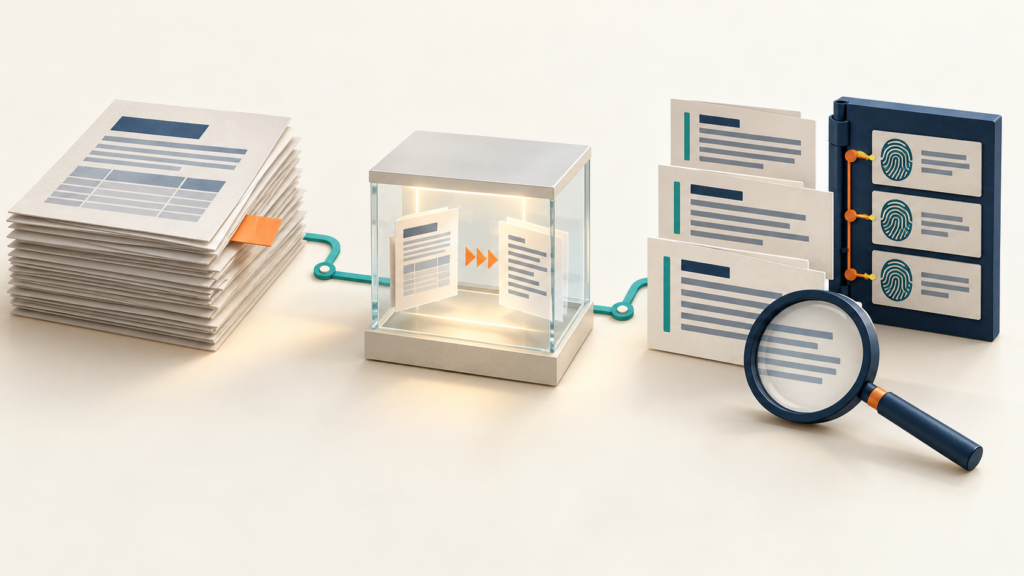
A business assistant cannot use a procedure that disappeared while its source document was being converted. In this article’s test, a Word booking guide became readable Markdown, but the review owner’s name vanished because it appeared only in the page header.
This walkthrough builds a small MarkItDown intake tool that saves the original bytes, Markdown and a manifest together. It gives you a traceable review bundle before you put business documents into an AI assistant or retrieval system. It does not automatically approve the content.
Fictional example: Pine Harbor Repairs and its booking procedures are invented sample data. No customer records, client results or personal product-use claims are involved. The featured image is an AI-generated conceptual illustration, not a software screenshot.
Why this repository fits the job
Microsoft’s MarkItDown project converts documents into Markdown for text-analysis workflows. It aims to retain useful structure such as lists and tables; it is not a faithful replacement for Word’s page layout. Its optional docx dependency group lets this example install Word support without requesting every format.
The inspected v0.1.8 DOCX converter preprocesses the Word file, uses Mammoth to produce HTML, then converts that HTML to Markdown. That intermediate representation is a reason to test the information you need, rather than judging success by the absence of an exception. MarkItDown carries an MIT license; retain its required notice when redistributing the software and review dependency licenses separately.
Set up the tested environment
You need a terminal, Python and a small folder of trusted DOCX files. This example was executed on Windows 11 with Python 3.14.3, MarkItDown 0.1.8, Mammoth 1.11.0, markdownify 1.2.3 and python-docx 1.2.0. The latter creates the fictional fixtures; it is not needed just to convert existing documents.
In a new working folder, use these PowerShell commands. No API key, model client or cloud endpoint is configured. Package installation requires a network connection. The conversion example uses local files and disables optional plugins.
python -m venv .venv
.venv\Scripts\python.exe -m pip install --only-binary=:all: "markitdown[docx]==0.1.8" "python-docx==1.2.0"
Those direct pins do not freeze every dependency. For the exact package versions from this Windows test, save the following as requirements-tested.txt, then install it in a fresh environment with .venv\Scripts\python.exe -m pip install --only-binary=:all: -r requirements-tested.txt. Availability of binary wheels on other platforms can differ; this is a version snapshot, not a lockfile with verified package hashes.
Tested dependency versions — requirements-tested.txt
beautifulsoup4==4.15.0
certifi==2026.7.22
charset-normalizer==3.5.2
click==8.5.0
cobble==0.1.4
defusedxml==0.7.1
flatbuffers==25.12.19
idna==3.20
lxml==6.1.3
magika==0.6.2
mammoth==1.11.0
markdownify==1.2.3
markitdown==0.1.8
numpy==2.5.3
onnxruntime==1.30.0
packaging==26.3
protobuf==7.36.2
python-docx==1.2.0
python-dotenv==1.2.4
requests==2.34.2
six==1.17.0
soupsieve==2.10
typing_extensions==4.16.0
urllib3==2.8.0
Create documents that reveal conversion mistakes
Save the following as make_fixtures.py. It creates a booking guide with a heading, bullet list and ordinary table, plus a contact-options document with a merged table cell. The booking guide puts Review owner: Morgan Vale only in the page header. That gives the review a specific fact to look for. The fixture builder uses the document and table operations described in the python-docx quickstart.
Complete fixture builder — make_fixtures.py
"""Create fictional documents, including a deliberate header-only fact."""
import argparse
from pathlib import Path

from docx import Document


def create_fixtures(folder):
    folder = Path(folder)
    folder.mkdir(parents=True, exist_ok=False)
    doc = Document()
    doc.sections[0].header.paragraphs[0].text = "Review owner: Morgan Vale"
    doc.add_heading("Pine Harbor Repairs: Booking Intake", 0)
    doc.add_paragraph("Fictional business and sample procedure for this tutorial.")
    doc.add_heading("Before scheduling", 1)
    doc.add_paragraph("Confirm the requested service.", style="List Bullet")
    doc.add_paragraph("Ask for the customer's preferred contact method.", style="List Bullet")
    table = doc.add_table(rows=1, cols=2)
    table.rows[0].cells[0].text = "Request"
    table.rows[0].cells[1].text = "Next action"
    for request, action in [("New appointment", "Offer available booking slots"),
                            ("Invoice question", "Route to the office team")]:
        cells = table.add_row().cells
        cells[0].text, cells[1].text = request, action
    doc.add_paragraph("Do not promise a price before the office confirms the scope.")
    doc.save(folder / "booking-intake.docx")

    doc = Document()
    doc.add_heading("Pine Harbor Repairs: Contact Options", 0)
    doc.add_paragraph("Fictional sample data. No real customer records.")
    table = doc.add_table(rows=3, cols=2)
    table.cell(0, 0).merge(table.cell(0, 1)).text = "Contact options"
    table.cell(1, 0).text, table.cell(1, 1).text = "Email", "Office follow-up"
    table.cell(2, 0).text, table.cell(2, 1).text = "Phone", "Booking discussion"
    doc.save(folder / "contact-options.docx")


if __name__ == "__main__":
    parser = argparse.ArgumentParser(description=__doc__)
    parser.add_argument("folder", type=Path)
    create_fixtures(parser.parse_args().folder)
Keep source bytes, output and status together
Save this file as convert_intake.py. It selects only top-level files ending in .docx, reads each into memory once and uses those same bytes for the source snapshot, SHA-256 and conversion. The convert_stream call accepts that byte stream instead of asking MarkItDown to interpret a user-provided URL.
Each successful item records its source and output hashes and begins with review_status: pending. A file that cannot be converted gets an error record while the remaining files continue. A new destination directory is required for every run; rerunning against an existing bundle is refused.
Complete intake converter — convert_intake.py
"""Convert a small, trusted local DOCX folder into a review bundle."""
import argparse
import hashlib
import io
import json
from datetime import datetime, timezone
from importlib.metadata import version
from pathlib import Path
from zipfile import ZipFile

from markitdown import MarkItDown, StreamInfo


def sha256(data):
    return hashlib.sha256(data).hexdigest()


def convert_folder(source, destination):
    source, destination = Path(source), Path(destination)
    files = sorted(p for p in source.iterdir()
                   if p.is_file() and p.suffix.lower() == ".docx")
    if not files:
        raise ValueError("No top-level DOCX files found")
    # A run is never overwritten. Pick a new destination for another run.
    destination.mkdir(parents=True, exist_ok=False)
    (destination / "source").mkdir()
    (destination / "markdown").mkdir()
    converter = MarkItDown(enable_plugins=False)
    manifest = {
        "created_at": datetime.now(timezone.utc).isoformat(),
        "converter": "markitdown",
        "converter_version": version("markitdown"),
        "items": [],
    }
    for path in files:
        item = {"source_name": path.name, "status": "failed"}
        try:
            # This size bound is not a sandbox for hostile archive contents.
            if path.stat().st_size > 20 * 1024 * 1024:
                raise ValueError("Source exceeds this example's 20 MiB limit")
            data = path.read_bytes()
            snapshot = Path("source") / path.name
            (destination / snapshot).write_bytes(data)
            item.update(source_snapshot=snapshot.as_posix(),
                        source_sha256=sha256(data))
            with ZipFile(io.BytesIO(data)) as archive:
                required = {"[Content_Types].xml", "word/document.xml"}
                if not required.issubset(archive.namelist()):
                    raise ValueError("Missing required DOCX archive members")
            result = converter.convert_stream(
                io.BytesIO(data), stream_info=StreamInfo(extension=".docx")
            )
            if not result.markdown.strip():
                raise ValueError("Conversion returned empty Markdown")
            markdown = result.markdown.encode("utf-8")
            target = Path("markdown") / (path.name + ".md")
            (destination / target).write_bytes(markdown)
            item.update(status="converted", review_status="pending",
                        markdown_file=target.as_posix(),
                        markdown_sha256=sha256(markdown))
        except Exception as exc:
            item["error"] = type(exc).__name__ + ": " + str(exc)
        manifest["items"].append(item)
    (destination / "manifest.json").write_text(
        json.dumps(manifest, indent=2, ensure_ascii=False) + "\n",
        encoding="utf-8",
    )
    return manifest


def main():
    parser = argparse.ArgumentParser(description=__doc__)
    parser.add_argument("source", type=Path)
    parser.add_argument("destination", type=Path)
    args = parser.parse_args()
    manifest = convert_folder(args.source, args.destination)
    failed = sum(item["status"] == "failed" for item in manifest["items"])
    print(json.dumps({"documents": len(manifest["items"]), "failed": failed,
                      "manifest": str(args.destination / "manifest.json")}))
    return 1 if failed else 0


if __name__ == "__main__":
    raise SystemExit(main())
Run the two scripts with new directory names:
.venv\Scripts\python.exe make_fixtures.py sample-input
.venv\Scripts\python.exe convert_intake.py sample-input sample-run
The successful test produced two converted documents and zero failures. The bundle contains source/, markdown/ and manifest.json. The original input files remained byte-for-byte unchanged. A SHA-256 identifies the bytes in this bundle; it does not prove that the document is accurate, authorized or current.
What actually survived—and what disappeared
| Fixture feature | Observed output | Review implication |
|---|---|---|
| Body heading, bullet text and booking table values | Present in Markdown | Useful for reading the procedure, but still compare the relationships between values. |
| Review owner in the Word page header | Missing from Markdown | A conversion marked successful lost a fact needed to identify the reviewer. |
| Merged contact-options table heading | Text appeared in the first cell beside an empty cell | The original cell span was not represented as a merged Markdown cell. |
| Word title style | Title text survived as ordinary text | Do not assume every visual heading becomes a Markdown heading. |
This is the complete converted contact-options document from the test:
Pine Harbor Repairs: Contact Options

Fictional sample data. No real customer records.

|  |  |
| --- | --- |
| Contact options | |
| Email | Office follow-up |
| Phone | Booking discussion |
The six automated tests below cover body text and structure, the observed header omission, preserved originals and matching hashes, pending review states, refusal to overwrite an existing run, a broken file alongside valid files, and file selection. Save the code as test_intake.py. The header test deliberately records a known omission in this version; if a future converter preserves it, investigate the changed behavior and update the expectation.
Complete behavior tests — test_intake.py
"""Behavior checks against actual DOCX conversion; no model call."""
import json
import tempfile
import unittest
from pathlib import Path
from zipfile import ZipFile

from convert_intake import convert_folder, sha256
from make_fixtures import create_fixtures


class IntakeTests(unittest.TestCase):
    def setUp(self):
        self.temp = tempfile.TemporaryDirectory()
        self.addCleanup(self.temp.cleanup)
        self.root = Path(self.temp.name)
        self.source, self.output = self.root / "input", self.root / "run"
        create_fixtures(self.source)

    def test_body_structure_and_values_survive(self):
        convert_folder(self.source, self.output)
        text = (self.output / "markdown/booking-intake.docx.md").read_text("utf-8")
        for expected in ["# Before scheduling", "* Confirm the requested service.",
                         "Invoice question", "Route to the office team",
                         "Do not promise a price"]:
            self.assertIn(expected, text)

    def test_header_only_fact_is_missing_in_this_version(self):
        with ZipFile(self.source / "booking-intake.docx") as archive:
            self.assertIn(b"Morgan Vale", archive.read("word/header1.xml"))
        convert_folder(self.source, self.output)
        text = (self.output / "markdown/booking-intake.docx.md").read_text("utf-8")
        self.assertNotIn("Morgan Vale", text)

    def test_snapshots_hashes_pending_and_originals_unchanged(self):
        before = {p.name: p.read_bytes() for p in self.source.iterdir()}
        manifest = convert_folder(self.source, self.output)
        self.assertEqual(2, len(manifest["items"]))
        for item in manifest["items"]:
            self.assertEqual("converted", item["status"])
            self.assertEqual("pending", item["review_status"])
            original = before[item["source_name"]]
            self.assertEqual(original, (self.source / item["source_name"]).read_bytes())
            self.assertEqual(original, (self.output / item["source_snapshot"]).read_bytes())
            self.assertEqual(sha256(original), item["source_sha256"])
            self.assertEqual(sha256((self.output / item["markdown_file"]).read_bytes()),
                             item["markdown_sha256"])

    def test_existing_run_is_refused_without_changes(self):
        convert_folder(self.source, self.output)
        before = {str(p.relative_to(self.output)): p.read_bytes()
                  for p in self.output.rglob("*") if p.is_file()}
        with self.assertRaises(FileExistsError):
            convert_folder(self.source, self.output)
        after = {str(p.relative_to(self.output)): p.read_bytes()
                 for p in self.output.rglob("*") if p.is_file()}
        self.assertEqual(before, after)

    def test_broken_document_recorded_without_losing_good_files(self):
        (self.source / "broken.docx").write_bytes(b"not a Word document")
        manifest = convert_folder(self.source, self.output)
        self.assertEqual(2, sum(i["status"] == "converted" for i in manifest["items"]))
        failed = [i for i in manifest["items"] if i["status"] == "failed"]
        self.assertEqual(1, len(failed))
        self.assertEqual("broken.docx", failed[0]["source_name"])
        self.assertIn("BadZipFile", failed[0]["error"])
        saved = json.loads((self.output / "manifest.json").read_text("utf-8"))
        self.assertEqual(manifest, saved)

    def test_non_docx_is_skipped_and_empty_selection_refused(self):
        (self.source / "notes.txt").write_text("Unconverted input", encoding="utf-8")
        manifest = convert_folder(self.source, self.output)
        self.assertEqual(2, len(manifest["items"]))
        empty = self.root / "empty"
        empty.mkdir()
        with self.assertRaisesRegex(ValueError, "No top-level DOCX"):
            convert_folder(empty, self.root / "empty-run")
        self.assertFalse((self.root / "empty-run").exists())


if __name__ == "__main__":
    unittest.main(verbosity=2)
.venv\Scripts\python.exe -m unittest -v test_intakeExecuted result: all six tests passed. Three additional command-line checks confirmed the two-document successful run, exit code 1 for a batch with two valid files and one broken DOCX, and refusal to reuse an existing destination. These are results for two small synthetic Word files, not a format-wide completeness benchmark. No scanned PDF, OCR, real customer document, model response or retrieval quality was tested.
Turn the bundle into a useful business review
Give a document owner the source snapshot and its matching Markdown. For Pine Harbor’s booking guide, the owner should check the reviewer name, routing instructions and restriction on promising prices. Read table rows across their columns; finding the words somewhere in the output is insufficient.
If an operational fact exists only in a header, footer or visual layout, revise the source document to include it in a clear body section and convert that revision into a new bundle. This preserves the earlier evidence and gives the revised document a new source hash. Do not silently patch the old output and keep its old hash.
Keep the approval record separate from the conversion manifest: record the reviewer, review date, exact source SHA-256, exact Markdown SHA-256, decision and any remaining exclusions. Only deliberately accepted versions should move into the assistant’s document collection. This example leaves that handoff manual; it does not implement an approval service or an indexer.
When the source changes, repeat that review for the new version and retire the earlier approved version according to your own document policy. The business benefit is being able to explain which document and conversion fed an answer, and to find missing context before staff rely on it. No improvement in answer accuracy or time saved is claimed here.
Operating limits that matter
- Conversion errors and interrupted runs differ. A caught per-file error is recorded in the completed manifest. A crash, full disk or process termination can leave a partial folder without a finished manifest. Keep that folder for diagnosis and use a new destination after fixing the cause; never treat its existence as readiness.
- File selection is narrow. Nested folders, PDFs, old
.docfiles and other formats are skipped. The script rejects an empty DOCX selection. A wider workflow needs an explicit inventory of skipped files. - The archive check is basic. The 20 MiB compressed-file limit and required archive-member check catch simple mistakes; they do not stop decompression bombs or sandbox a hostile file. Use this example with small, trusted local documents. The repository’s process-privilege warning remains relevant.
- Readability is not instruction authority. Document content should remain reference data when handed to an agent. Converting it to Markdown does not make embedded instructions trustworthy or establish permission to share its contents.
- Keep the original when layout matters. If merged cells, annotations or page-specific meaning control the interpretation, use a document-specific extraction and review approach. The two fixtures here cannot establish support for every Word feature.
For structured business records that already have defined fields, a read-only MCP service catalog provides a different way to expose approved information. For the next stage of an AI workflow, the routing regression evaluation walkthrough shows how to evaluate a concrete downstream behavior. Neither substitutes for checking the source documents.
Jason Ead publishes AlgoThoughts AI News and connects this practical work with My Biz Heroes, covering business websites, automation, workflows, AI tools and training. Read Jason’s profile for the publication’s business connection.
Research and isolated example tests: October 1, 2026. Generated artwork is illustrative. This article reports tool-executed tests of fictional fixtures, not a personal-use claim by Jason or a customer case study.