Grandma-test difficulty: 0/5 — Open a link and play
Try-it time: Under 10 seconds
Worth your time: 5/5 — Do Not Miss
The thesis
tiny-terminal proves that the most engaging software for beginners isn’t a tutorial — it’s a toy that rewards every input with instant, visible delight, no installation required.
Why this exists
Most “learn to type” apps are boring drills. They require accounts, installations, and patience. Toddlers and pre-readers need something that rewards every keypress — real words and keyboard smashing alike — without frustration or failure states. The creator, @madebydia, built tiny-terminal as part of teaching their 3-year-old computational thinking through play. They wrote a whole curriculum around it: 12 Weeks of Tech Projects to Build With Your Kid, with 60 activities, mostly unplugged, for ages 2 to 6 [S3]. tiny-terminal is the digital centerpiece — a browser-based terminal that responds to everything a child types.
What you need
- A web browser (Chrome, Firefox, Safari, Edge — anything from the last decade)
- An internet connection (only to load the page once; works offline after)
- Zero accounts, zero installs, zero terminal knowledge
Simple setup walkthrough
Step 1 — Open the playground
Go to https://tiny-terminal.com/ in your browser. That is it. The page loads in under a second and shows a blinking cursor waiting for you. The interface is intentionally minimal: a dark terminal background, a friendly prompt that says type here>, and a blinking cursor. No menus, no settings, no onboarding flow.
Step 2 — Type something and press Enter
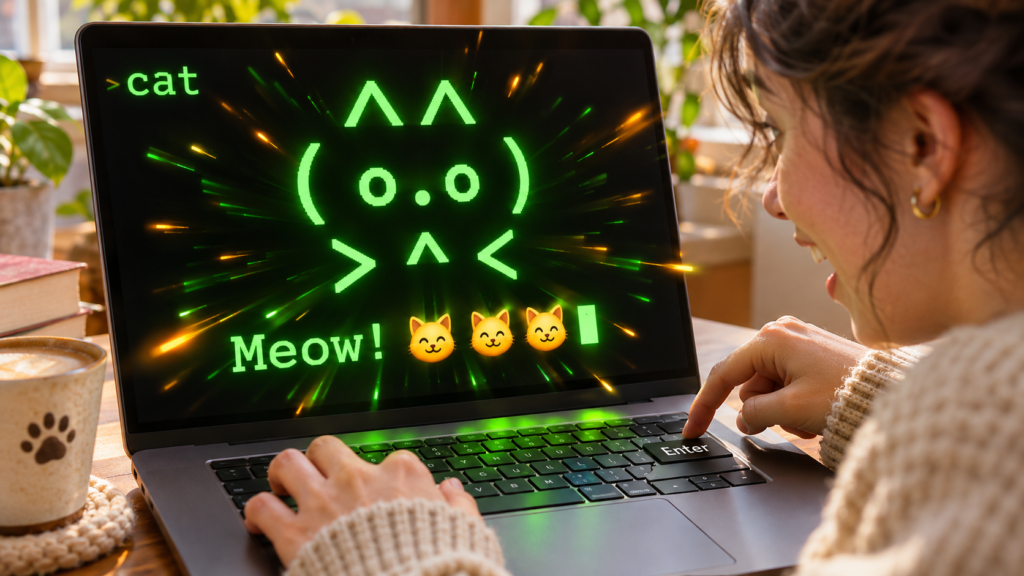
Try cat and press Enter. You will instantly see:
“ 🐱 🐱 🐱 ^^ ( o.o ) > ^ < Meow! “
Three cat emoji, a cute ASCII cat face, and the word Meow! — all in under a second. The response feels instantaneous because it is: everything runs locally in your browser with zero network round trips [S2].
Step 3 — Keep exploring
No step three. You are already doing it. Every keystroke produces something. There are no wrong inputs, no error messages, no red text. The design philosophy is explicit: every input gets a positive response. Short output — single lines, not paragraphs. Visual over textual (emoji, ASCII art, big letters). Gibberish is celebrated, real words are rewarded more. Gentle nudges toward typing real words via picture challenges. No scores, no failures, no ads, no tracking [S1].
First thing to try
Type these and press Enter after each:
| Try this | What happens | |———-|————–| | rocket | 🚀🚀🚀 + ASCII rocket + countdown 3… 2… 1… BLAST OFF! | | blue | 🌊🦋🫐💎🐳 (themed emoji collection) | | a | Giant A + 🐊 (every letter has an animal) | | 42 | 42 emoji in a row (numbers 1 to 10 = rows, 11 to 999 = scaled, 1000+ = count-up animation) | | party | 🕺💃🌊🎵🎶🕺💃🌊🎵🎶 (magic word = dance party) | | asdfghjkl | Keyboard smash to secret code reveal | | dinosaur | 🦕 + ASCII dino | | excavator | Construction vehicle ASCII art | | rainbow | (Try it — it is a magic word too) |
The project knows 20 animals with ASCII art, 12 vehicles with ASCII art, 10 colors with emoji collections, the full alphabet with animal associations, and number visualization that scales from emoji rows to count-up animations for big numbers [S1][S2]. Keyboard smash detection has 5 varied response types [S2]. Picture challenges appear after a few gibberish entries to nudge toward real words. Jokes, magic words, dance party, rainbow mode — all built in [S2]. Dark mode and light mode follow your system preference automatically [S2]. Works on desktop and mobile.
Turn it into a game or challenge
Find all the magic words — There are at least 5 special words that trigger unique effects beyond the normal categories. We have found party and rainbow. Can you find the others? (Hint: think celebration, weather, and surprises.)
Name that animal — Type an animal and see if the ASCII art matches your mental image. The lobster is surprisingly good. The shark has teeth. The dinosaur is unexpectedly detailed for a terminal toy.
Share a discovery — Screenshot your favorite response and send it to someone with Type this into tiny-terminal.com — they will have the same delight in seconds. No account needed on their end either.
Offline challenge — Load the page, disconnect Wi-Fi, keep playing. It is a single HTML file with zero network calls after load [S1]. This makes it perfect for flights, car rides, or any moment without connectivity.
Optional expert rabbit hole
View source to Learn to Modify
Right-click the page and choose View Page Source. The entire application is one approximately 2,000-line HTML file with embedded CSS and JavaScript [S1]. No build step, no bundler, no framework. No node_modules, no package.json, no webpack, no vite. Just HTML, CSS, and vanilla JavaScript that runs in any browser. You can:
- Save it as tiny-terminal.html and open it locally (works offline forever)
- Add your own animals: search for animals: in the source and add entries like unicorn: { ascii: …, emoji: 🦄 }
- Create new magic words: find the magicWords object and add confetti: () => 🎉🎊✨
- Change the welcome message, colors, or response styles
- Modify the keyboard smash detection thresholds
- Add new picture challenges
This is how the author taught their 3-year-old computational thinking — by modifying the toy together [S3]. The source is readable enough that a motivated beginner can make real changes without a development environment. It is a rare example of software that is both immediately accessible and genuinely hackable.
One thing to know
It is designed for toddlers and pre-readers. The responses are short, visual, and never frustrating — which means adults looking for deep complexity will not find it here. There is no progression system, no save state, no multiplayer. It is a moment of delight, not a platform. But that is also its strength: zero cognitive load, zero failure modes [S1]. The project makes no pretense of being a text editor, a REPL, or a learning management system. It is a keyboard playground, and it owns that identity completely.
The bottom line
Try it tonight if: You want to remember what it feels like when software just works and surprises you. You have a kid (or inner child) who would get a kick out of typing poop and getting a laughing emoji response. You appreciate craft — this is a single file, written with care, that does one thing exceptionally well.
Skip if: You need persistence, accounts, multiplayer, or real programming. This is a toy, not a tool — and it is proud of it.
Verdict: 5/5 — Do Not Miss. In a web full of sign-up walls, cookie banners, and onboarding flows, tiny-terminal is a reminder that the best software sometimes just says here, play.
Sources
- [S1] madebydia/tiny-terminal: A fake terminal where kids can type anything and get fun responses — GitHub (2026-02-11)
- [S2] tiny-terminal.com – Live Demo — madebydia (2026-02-11)
- [S3] 12 Weeks of Tech Projects to Build With Your Kid — buildwithyourkid.com (2026-02-11)