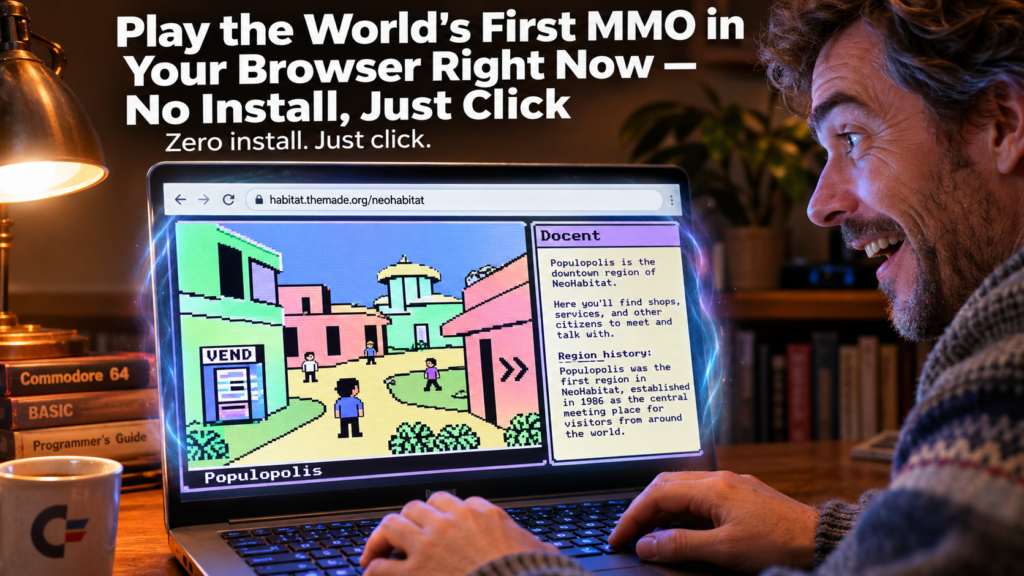
The time machine you didn’t know existed
Thirty-eight years ago, Lucasfilm Games shipped Habitat — the world’s first graphical massively multiplayer online game. It ran on Commodore 64s over dial-up modems through Quantum Link (the service that became AOL). Players appeared on-screen as avatars, bartered in a virtual economy, elected their own sheriffs, and governed themselves. It was the blueprint for every MMO since: Ultima Online, EverQuest, World of Warcraft, Second Life, Roblox all trace their DNA to this one experiment [S1].
Today, you can walk through it. No emulator to configure. No ROMs to hunt. No account to create. Just click a link and you’re in.
—
At a glance
| | | |—|—| | Grandma-test difficulty | 0/5 — Open a link, type a name, walk around | | Try-it time | Under 60 seconds to first region | | Worth your time | 5/5 — Do Not Miss: a living piece of internet history that still feels magical |
—
What you need
- A modern browser (Chrome, Firefox, Safari, Edge)
- An internet connection
- That’s it. No install, no download, no account.
—
Simple setup: 3 steps to Populopolis
1. Pick your door
Open one of these in a new tab:
- Fast & crisp (recommended): <http://habitat.themade.org/neohabitat> — the all-JavaScript web client. Loads in seconds, runs at modern speed, includes the Docent guide panel beside the game [S3][S4].
- Authentic 1986 speed: <http://habitat.themade.org/> — the genuine C64 client running in an in-browser emulator. Disk-flip pauses, original timing, same Docent guide [S3].
- Mobile / full-screen: <https://habitat.themade.org/webclient/live.html> — the web client full-page, add
?osk=1for an on-screen keyboard [S3].
Start with the fast web client. You can always switch to the emulator later for the authentic crawl.
2. Name your Avatar
Click “Click to begin” (web client) or hit any key (emulator). An “Enter Habitat” button appears — press any key or click it. Type a name for your new Avatar — anything you like: Threepwood, dril, PhilCollins, CuriousCat [S3][S5]. Press Enter. You’ll materialize in downtown Populopolis moments later.
3. Let the Docent guide you
A panel beside (or reachable from) the game window fills in automatically as you move. This is the Docent — NeoHabitat’s interactive companion. It serves contextual help, object documentation, region descriptions, and Habitat history without you clicking a thing [S3][S4]. Just walk around and read.
—
First thing to try: Walk, talk, and get something
Your cursor is a Habitat joystick. Press and hold on the scene, then nudge in a direction to choose an action — the cursor changes color — and release to carry it out [S5]:
| Nudge | Action | Cursor color | |——-|——–|————–| | Up | GO — walk there | Green | | Down | DO — use / operate it | Yellow | | Right | GET — pick it up | Red | | Left | PUT — set it down | Blue |
A quick tap with no nudge simply turns your Avatar to face that spot.
Try this sequence right now:
- Nudge Up on the pavement ahead → your Avatar walks there.
- Spot a vending machine or object. Nudge Down on it → your Avatar operates it.
- See an item on the ground? Nudge Right → you pick it up.
- Nudge Left on an empty spot → you set it down.
Talk: Just type — your words appear in a word balloon over your Avatar’s head. The F-keys trigger gestures (F3 lists who else is in the region) [S5].
Travel: Click the arrow chevrons (◀ ▶ ▼) around the scene edges to walk into neighboring regions. The compass and four region previews along the bottom show where each exit leads [S5].
Within two minutes you’ll have walked through multiple regions, seen other Avatars, and possibly chatted with a player from another continent.
—
Turn it into a game: The “First Hour” challenge
Set a timer for 60 minutes. See how many of these you can collect:
- [ ] Visit 5 different regions (watch the compass)
- [ ] Talk to another player — say hi, ask where they’re from
- [ ] Find a vending machine and buy a “head” (avatar customization — a Habitat tradition since 1986) [S1]
- [ ] Locate the PAWN shop and sell something
- [ ] Read a Docent entry for a region you didn’t expect to have history
- [ ] Gesture with F3, F4, F5 — wave, laugh, shrug
- [ ] Switch clients — try the C64 emulator for the authentic disk-flip experience
Screenshot your Avatar in the weirdest region you find. Share it with someone who remembers dial-up.
—
Optional expert rabbit hole
Authentic 1986 hardware path: Install the VICE C64 emulator (Windows installer, macOS DMG, or Linux package manager) and run the preconfigured NeoHabitat client. You’ll get the original 1200-baud modem speed, actual disk-flip pauses (Alt-N / ⌘-N), and the genuine C64 SID sound chip via emulation [S2][S3].
Run your own world: The full server stack (Elko server + bridge_v2 WebSocket bridge + web clients + bots) runs via Docker Compose. Clone the repo, docker-compose up, and you’re hosting Habitat on your LAN [S2].
Experimental clients:
- 3D Diorama client — the same world rendered as an explorable 3D diorama in WebGL [S2]
- Text-only terminal client — narrates the world, takes verb-first commands (
GO,GET,SAY…) [S2] - Sagebot — an LLM-driven resident bot that walks, talks, and answers questions in-world [S2]
- habisound soundboard — play original 1986 SID sound effects in your browser [S2]
Read the source: The canonical client-side world model (habiworld) and C64 art codec (habirender) are ported from the original 1985 C64 source code — the C64 client is the ground truth [S4]. You’re interacting with 38-year-old logic, faithfully preserved.
—
One thing to know
The public server is a volunteer-run restoration. It’s “still in development” — expect occasional instability, region glitches, or disconnects [S2]. The Docent may not have entries for every region. The community Discord (#troubleshooting) is responsive and friendly. This is a living museum, not a commercial product. Your Avatar persists, but don’t invest emotional attachment in rare items — the world resets occasionally.
—
The bottom line
Try it tonight if: You want to experience the grandfather of every MMO, virtual world, and avatar-driven social space — and you want it now, without friction. You enjoy computing history that’s playable, not just readable. You like the idea of walking through a world designed in 1985 that still feels alive.
Skip if: You need modern graphics, quest markers, or hand-holding tutorials. You’ll be frustrated by the 1986 UI paradigm (joystick-nudge cursor, no minimap, text-only chat). You want a “game” with win conditions — Habitat is a world, not a game.
The verdict: In 60 seconds you’ll be standing in Populopolis, hearing C64 sound effects played via Web Audio, reading the Docent’s history of the region you’re in, and realizing: this is where it all started. [S1][S4][S5] The magic isn’t nostalgia — it’s that a 38-year-old design still feels spacious, social, and surprising. Go say hello to the ghosts of the future.
Sources
- [S1] Habitat (video game) — Wikipedia — Wikipedia (2026-10-15)
- [S2] NeoHabitat GitHub Repository — frandallfarmer/neohabitat — GitHub (2026-07-17)
- [S3] Play NeoHabitat — all the ways in (docs/play.md) — NeoHabitat Project (2026-07-17)
- [S4] The NeoHabitat Web Client (docs/webclient.md) — NeoHabitat Project (2026-07-17)
- [S5] NeoHabitat Web Client — Live at habitat.themade.org/neohabitat — The Museum of Art and Digital Entertainment (MADE) (2026-11-03)